





IT Resume Examples


Best for senior and mid-level candidates
Resume Builder
Like this template? Customize this resume and make it your own with the help of our Al-powered suggestions, accent colors, and modern fonts.
 Build my resume
 Have you found your dream IT job advert, and are you now ready to build a CV and write a cover letter that will make it difficult for recruiters to say no?
You should already know that the IT industry thrives on fierce competition. That’s why your application has to be the best in the pile.
But how can you ensure that? Load your IT CV with technical skills, appropriate education, relevant experience and projects, and industry-recognised certifications.
Are you finding it difficult to begin your IT job application? Whether it’s an internship, an entry-level position, a promotion to a senior role, or you’re an IT expert with a wealth of experience, we offer tailored IT CV examples to help you stand out and get hired.
Specifically, in this guide, we:
↪ Answer the question: “What is a good example of an IT CV?”
↪ Share 8 sample IT CV templates that you can start editing now
↪ Show you how to craft a CV for your information technology job, beat ATS, and impress hiring managers
↪ Provide you with editable CV examples approved for the IT industry
↪ Give you tips on what to do/not do to get hired in 2026
Why this CV works
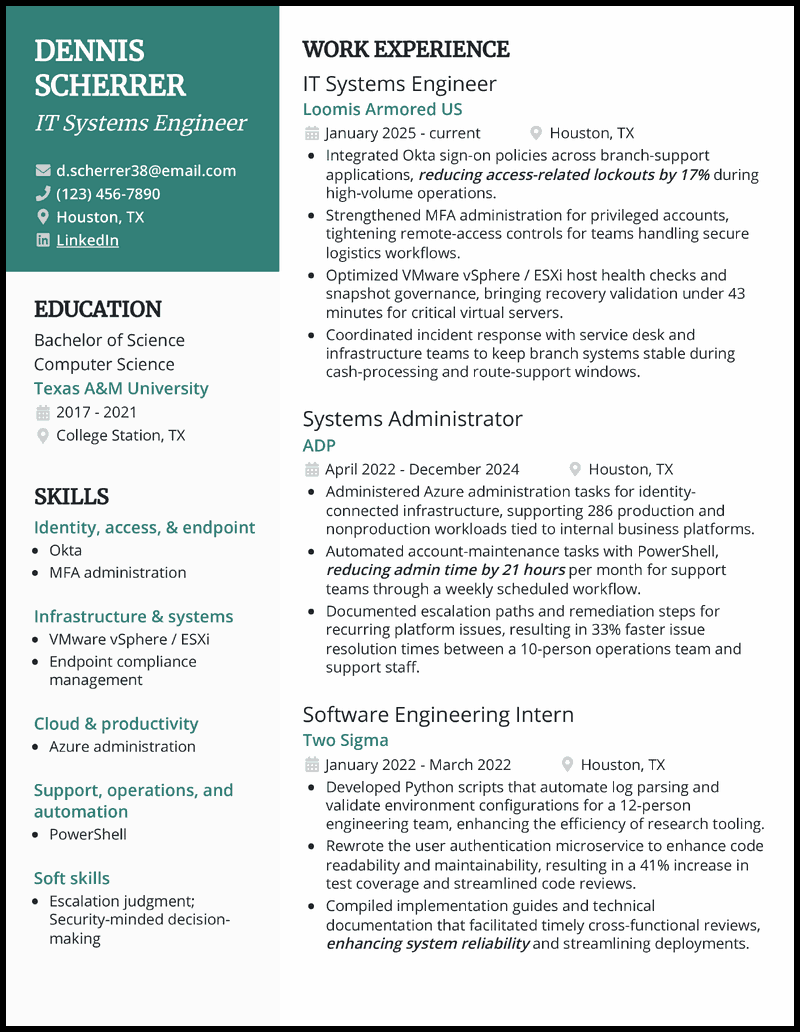
- One trick to impress hiring managers is to tweak your CV’s skills section to mirror the job description. You can also make your IT CV irresistible by using numbers to quantify your accomplishments and show them you made an impact at your previous workplaces.
Why this CV works
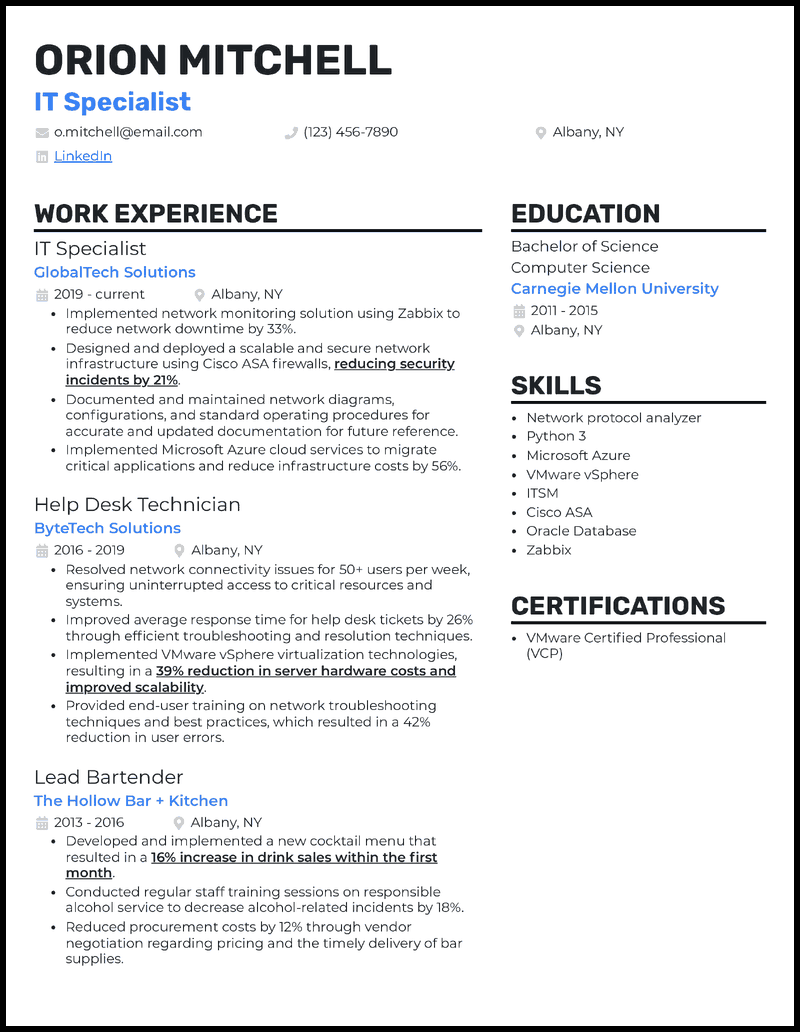
- Including measurable achievements backed by on-demand IT skills and software competencies will set you apart from your peers, attract the attention of recruiters, and increase your chances of securing the job. Your IT specialist CV should highlight your troubleshooting, system infrastructure, and performance optimisation skills.
View more IT specialist CVs >
Why this CV works
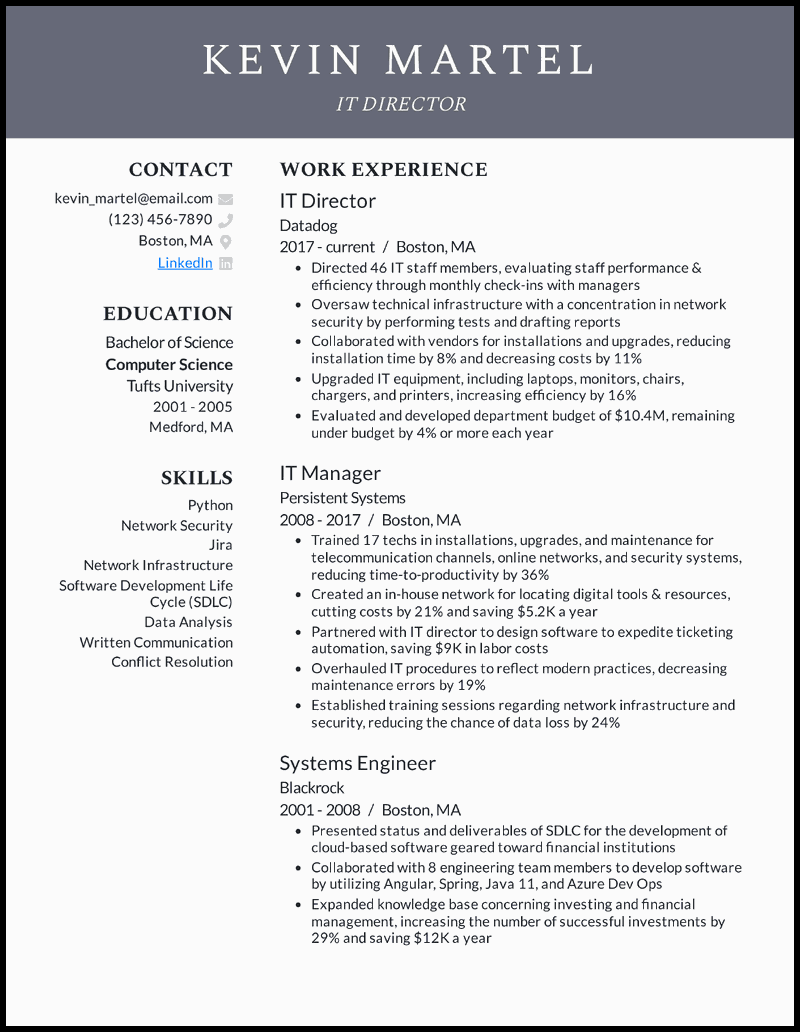
- When writing a CV to help you secure that highly appealing IT director role, make full use of the reverse chronological format to demonstrate how you’re consistently at the top of your game, even when the role requires you to take on more responsibilities, making it easier for the recruiter to follow your career path.
View more IT director CVs >

Why this CV works
- The power of numbers in an IT technician CV can’t be understated. They support your claims, enhancing your credibility and making your narrative believable. While percentages have their place, don’t limit yourself to these alone; highlight speed resolutions and hours saved.
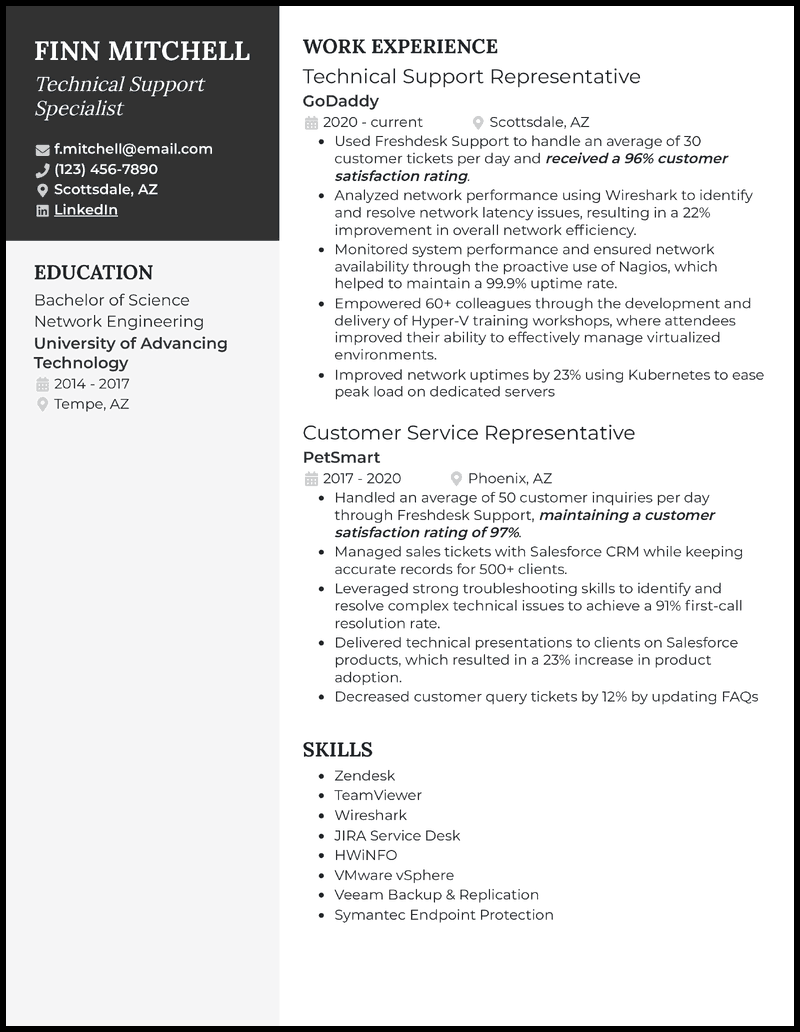
Why this CV works
- Don’t waste your energy discussing your technical roles at the expense of emphasising your suitability for the job by detailing achievements supported by metrics. For instance, highlight your software competencies, problem-solving skills, and customer-focused services in your technical support specialist CV.
View more technical support specialist CVs >
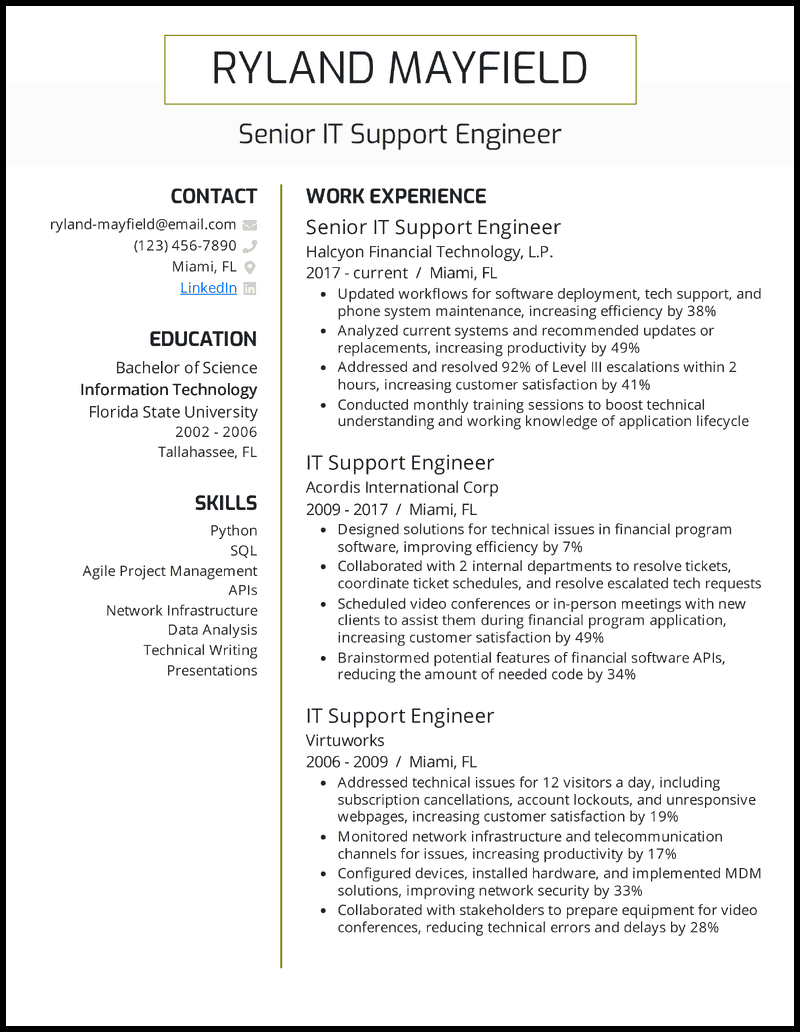
Why this CV works
- Put our Word interactive CV samples or free Google Docs CV templates under a microscope, and you’ll quickly discover that one of the secrets to making a top-notch sales pitch is highlighting relevant strengths like problem-solving. Next, let your professional IT CV showcase your strong analytical skills and talent for identifying core issues, implementing effective solutions, troubleshooting complex problems, and more.
View more professional IT CVs >

Why this CV works
- For a standout IT analyst CV that will beat the ATS and prompt the recruiter to read your IT cover letter, demonstrate that you have what it takes to excel in the field on the front line. For example, describe how you oversaw a Python-driven data analysis pipeline that reduced data processing costs by £12,000.

Why this CV works
- Are you a bit short on experience but determined to make an impression on potential employers? Including a tailored CV career objective, adjusting your CV format, and choosing the right CV template is absolutely essential.
Related CV guides
How to Write an IT CV

To write an effective IT CV that makes you stand out and get hired, you must be strategic to show what makes you the best candidate. First, you need a document emphasising your technical proficiencies, relevant work experiences and projects, and problem-solving capabilities.
Unlike any other CV, a CV for an IT job must include programming languages, industry-specific certifications, and technologies. You can find these prerequisites in the job advert to ensure that your application aligns with the potential employer’s expectations.
Structure your IT CV with the help of a CV parser, so it’s readable, clear, and highlights your impact. Why? Your CV has to pass through online screeners, and recruiters only skim it before they read it in depth.
Read on to find out how you can:
- Format your CV so it’s clear and works well with applicant tracking systems
- Begin with a summary that emphasises your achievements
- Emphasise the tech skills and tools that are important for the job
- Highlight your accomplishments in previous roles with figures wherever possible
- Align your experience with the requirements of the job advert

How to format an IT CV
Your IT CV format creates the first impression on hiring managers. Get it right, and you’ll be on the list of potential candidates. Get it wrong, and your document will end up in the rubbish bin. The key is to choose an IT CV template that enables you to demonstrate why you’re the must-hire candidate and provides recruiters with an insight into your qualifications and suitability for the role.
What’s the best CV format for IT?
Depending on your career goals, the role you’re targeting, and your experience, choose the best format for your CV here:
- Reverse chronological format – this layout starts with your most recent job and goes back to your earlier positions. It allows you the space to narrate your career journey, highlighting your impact along the way. We recommend this format for most IT CVs.
As such, this format is ideal for you if you have an impressive career journey that’s worth sharing. For instance, IT managers, system administrators, and software developers can use this layout to win over hiring managers.
Reverse chronological CV format example
Work Experience
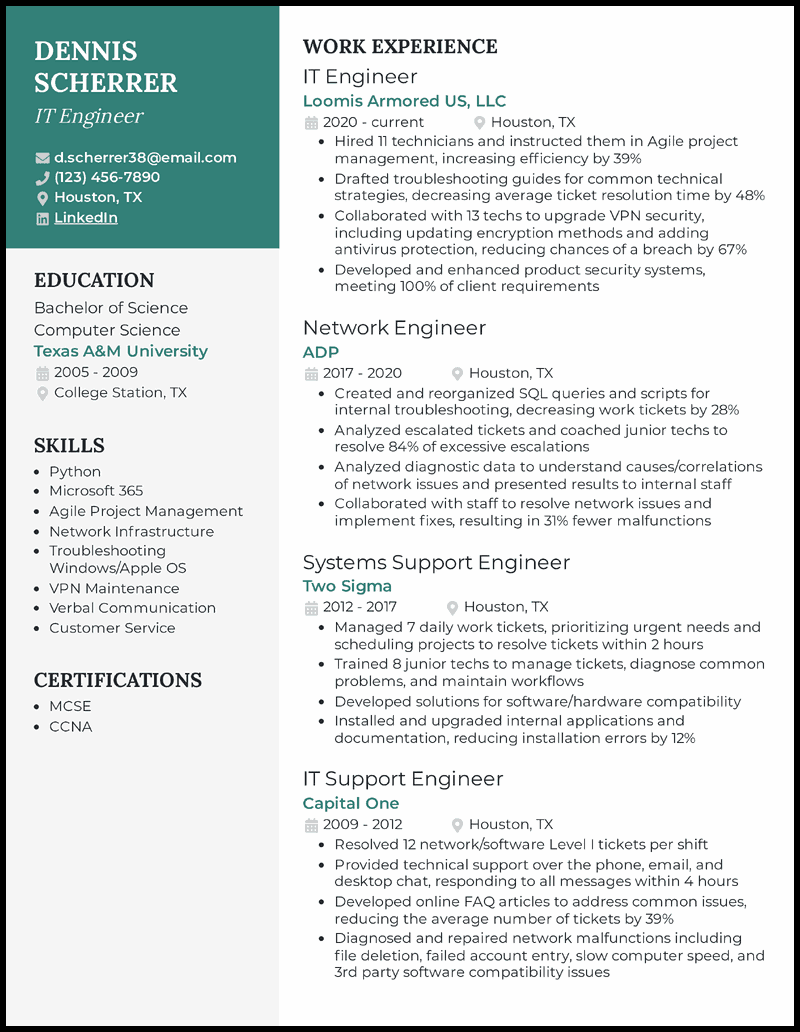
IT Engineer
Loomis Armored US, LLC
2020 – Present Houston, TX
⬇️
Network Engineer
ADP
2017 – 2020 Houston, TX
⬇️
Systems Support Engineer
Two Sigma
2012 – 2017 Houston, TX
- Functional format – when you don’t have a career history to discuss but are loaded with relevant skills, this is the format you can use for your information technology CV. It highlights your tech competencies such as programming languages and persuades potential employers to overlook your otherwise limited experience in the industry.
This layout will serve you best if you’re changing your career, a recent graduate, or have gaps in your work history. However, many hiring teams find it lacking when it comes to demonstrating your abilities.
- Combined/hybrid format – if you want to benefit from both your career progression and skills, the hybrid layout is highly effective. It demonstrates to potential employers that you’ve been in the field for a considerable time and are keeping pace with the constantly changing nature of the IT industry.
IT sub-sectors such as DevOps, AI, and Cloud computing would benefit from this format as they require you to display both technical skills and staying up to date with recent developments.
At the end of the day, choose an IT CV template that matches your experience, career level, and goals. Additionally, opt for what gives you better odds to beat ATS and have your CV read by a real human recruiter.

Why a compelling header matters in your IT CV
Contact information is a reliable way for a prospective employer to easily get in touch when they believe you’re the right fit for the job. Therefore, you should be aware of the essential rules when adding contact information to your information technology CV. Professionalism, clarity, and conciseness are the top priorities.
Begin with the header, where you include your full name, current phone number, and a professional email address. Remember, there’s no place for your nickname in any of these. Adding your town and county would also be beneficial here. However, be mindful of your privacy and avoid sharing personal details such as your home address—there’s no need for anyone to know that.
For IT professionals with a track record in open-source contributions, certifications, and projects, including your website or LinkedIn profile is a great way to showcase your portfolio.
Lastly, remember to tailor your contact information to the job you’re applying for. In some cases, including your GitHub account, Twitter (now X) handle where you discuss tech issues, or a coding portfolio would go a long way towards showing your suitability for the role. However, ensure anything you include demonstrates your IT expertise.
Incorrect ❌
Den the Don
123 456 7890
467 Main Street, Alpine House Room 301
Houston, TX
What is a good summary for an IT professional CV?
Whether to include a career objective or summary depends on several factors: if the job posting requests it, if you’re at entry-level, or if you have extensive and exceptional experience in the IT sector. If these aren’t the cases, don’t include an objective or summary.
To ensure your career objective makes the kind of impact that brings you closer to the job, it’s important to know when and how to use it. For example, if you’re looking for an entry-level IT position or considering a career change to IT, a CV objective would be highly beneficial.
Career objective example
Self-motivated IT graduate keen to apply technical skills and problem-solving abilities in a junior IT specialist role at Oracle. Passionate about optimising systems and delivering innovative solutions to enhance business efficiency.
On the other hand, a career summary is more suited to those with experience in the IT sector. For example, if you’ve worked in the tech industry for over 10 years, a concise statement about your skills, achievements, and experience would be a welcome addition.
Career summary example
A seasoned IT professional with over 10 years of experience, excelling in senior leadership roles to drive innovation, optimise technology solutions, and lead high-performing teams. Skilled at aligning business objectives with cutting-edge IT strategies to enhance efficiency, scalability, and digital transformation.

How to quantify your work experience
When listing work experience, the general rule is to start with your most recent position and then work backwards. This is why selecting the right IT CV template is important. Each entry should clearly display the name and location of the employer, your job title, and the dates.
Add three to four bullet points per entry highlighting your responsibilities and achievements, skills and tools used, and measurable impact. Use action verbs at the start of each sentence to make your bullet points engaging.
The powerful words portray you as an achiever and the type of addition the potential employer is missing. In other words, you’re avoiding the trap of using vague descriptions, which are frowned upon by hiring managers.
Correct ✔️
IT Engineer
Loomis Armoured UK, Ltd | 2020 — Present | Houston, TX
– Recruited 11 technicians and trained them in Agile project management, increasing efficiency by 39%
– Created troubleshooting guides for common technical strategies, reducing average ticket resolution time by 48%
– Collaborated with 13 technicians to upgrade VPN security, including updating encryption methods and adding antivirus protection, reducing the chances of a breach by 67%
– Developed and enhanced product security systems, meeting all client requirements
Incorrect ❌
IT Support | Glob Tech | 2020 – Present
– Assisted users with computer issues.
– Installed software updates.
– Worked with servers and networks.
How to write an IT CV with no work experience
You could be a recent graduate trying to break into the world of technology. Or, you’re changing your career path to IT. Naturally, you may not have direct work experience on your IT CV. What do you do then?
Focus on the technical skills you acquired and utilised during a work placement, charity work, or a project. Next, demonstrate what you learnt and how it’s transferable to the job you’re pursuing. Additionally, relevant certifications can speak volumes about your capabilities and untapped potential.
Additionally, this is the ideal time to use a career objective to demonstrate your passion for the industry, problem-solving skills, and willingness to learn.
Using action verbs to highlight your value
As mentioned earlier, action verbs resonate like the kind of music recruiters would pay attention to. You want these powerful terms to begin your bullet points because they highlight your skills and achievements in a compelling way.
Examples of action verbs for an IT CV:
- Engineered
- Automated
- Troubleshooted
- Secured
- Configured
- Optimised
- Modelled
- Streamlined
- Resolved
- Fast-tracked

How to add education and qualifications
Including your education on your Information Technology CV demonstrates that you have completed a rigorous academic programme that has equipped you with industry qualifications. Here, you should include the field of study and major, the institution, expected completion date, city, and county. If you are listing, for example, an undergraduate and a postgraduate degree, start with the highest level.
Typically, for a new graduate, the education section goes at the top of the CV below your contact details. Why? You may lack work experience, and your education is the next best bet to align you with the job. Conversely, the education section for an experienced IT professional takes a back seat at the bottom of your CV.
How to add education
Bachelor of Science
Computer Science
Texas A&M University
2021 – 2024
College Station, TX
Certifications on your IT CV are like your badges of honour and prove that you’re not just talk but action. In the tech world, certifications carry significant weight and enhance your credibility.
Examples of qualifications:
- CompTIA Security+
- AWS Certified Cloud Practitioner
- Certified Ethical Hacker (CEH)
- Google Cloud Associate Engineer
- Cisco Certified Network Professional (CCNP)
- Certified Information Security Manager (CISM)
- ITIL 4 Foundation
- Certified Kubernetes Administrator (CKA)

Emphasise technical skills
Remember that your tech CV must present you as the best candidate for the job – it’s the only way employers will hire you. But how can you do this effectively?
Adding hard skills can increase your chances of getting noticed. Not only that, but they help you align with the job profile you’re applying for. One smart way to know what skills to add is by examining the job description and identifying the proficiencies the prospective employer seeks.
Examples of hard skills:
- Penetration Testing
- PostgreSQL
- JavaScript
- Bitbucket
- Kali Linux
- Ansible
- Google Cloud Functions
- TensorFlow

How to tailor your CV to the IT job you want
With ATS screening most CVs before a human recruiter ever sees them, tailoring your CV has never been more important. So, how do you do it?
Match keywords from the job description
If your CV doesn’t include a good number of the keywords from the job posting, it may never be seen, even if you’re the most qualified candidate.
Here’s how to match your CV to the words that ATS and employers care about:
- Review the job description and note the recurring terms, particularly in sections such as “Responsibilities”, “Required Skills”, and “Preferred Qualifications”.
- Integrate keywords naturally: Include the keywords in your “Skills” section and use as many of them in your bullet points, with the key ones in your summary.
- Alternate between full terms and acronyms: for instance, AI screens for both “Structured Query Language” and “SQL”, so include both when possible.
- Don’t over-optimise: Only use the key terms where and when they make sense
Prioritise relevant experience and tools
IT roles are not equal: they vary drastically. If you load your CV with unrelated details, you weaken your impact. Stick to relevant tools and show hiring managers you’re not looking for just any IT job but the job they’re offering by doing the following:
- Avoid unrelated experience: For example, a CV for a Front-End Developer role won’t need your Sysadmin internship unless you can directly connect it to front-end performance or development workflow.
- Order by relevance: Prioritise roles, projects, and skills that clearly connect to the position.
- Highlight role-specific tools: If the job is for a Sysadmin, some of the core skills/tools you should include are Linux, Bash, Ansible, Docker, and Nagios.
- Use role-specific verbs: Action words such as “Designed”, “Tested”, “Configured”, “Automate”, etc., define what IT professionals do.
- Mirror the job’s tone: IT roles are technical, so you must reflect that depth in your expertise, but don’t overload your CV with jargon.

Average salaries for an IT technician
Getting through school, working on projects, showing your passion, and securing your first IT job must feel like hitting the jackpot. In that case, you would like to know what you can expect as your salary.
These data from the US Department of Labor, Employment and Training Administration (USDOL/ETA), as published on O*NET Resource Center on 16/10/2024, provide an overview of what you can expect to earn as an IT technician in different states:
| State/National | Average Annual Salary |
| Ohio | $ 51, 490 |
| Texas | $51,820 |
| Florida | $52,000 |
| Penslyvania | $55,450 |
| Michigan | $56,770 |
| North Carolina | $57,000 |
| Georgia | $57,420 |
| Illinois | $58,120 |
| New York | $63,070 |
| California | $75,110 |
| National | $57,124 |
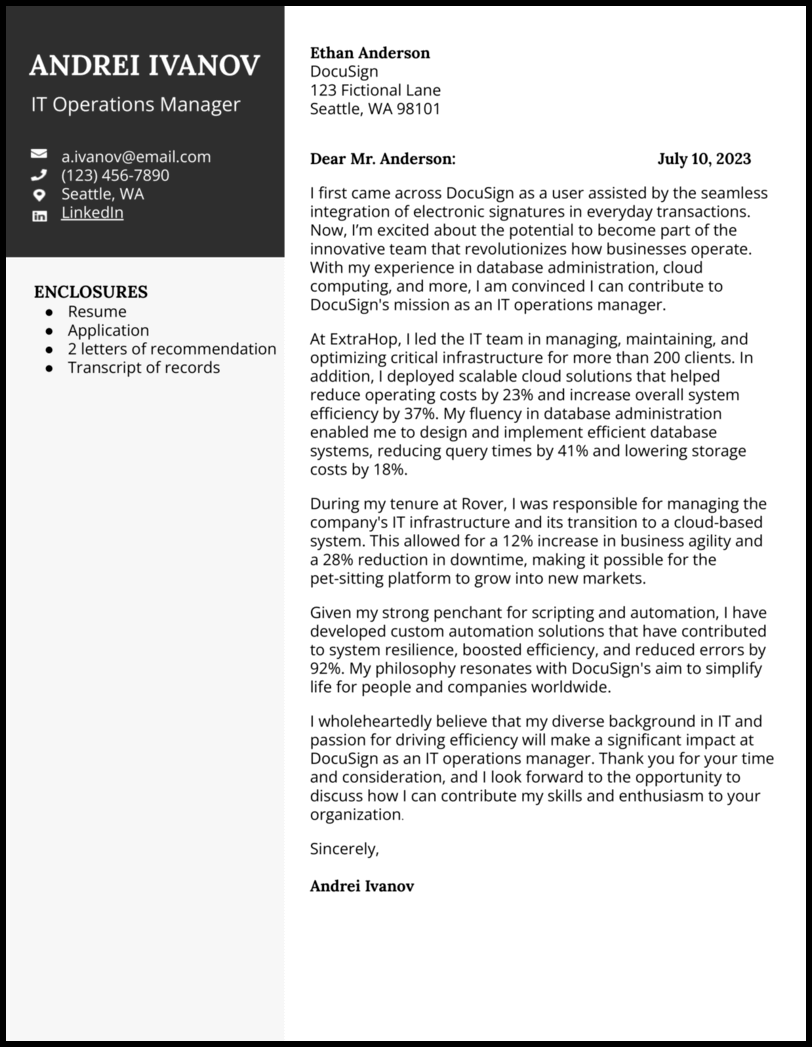
Do you want to add a layer of credibility to your already impressive Information Technology CV? Adding an IT cover letter is like the icing on the cake of your application and one that recruiters can’t refuse.
IT CV FAQs

It’s the one tailored for the specific job you’re applying for. Add technical skills and achievements that present you in the best light. When they read your CV, you want to impress hiring managers because they see a perfect candidate for the role.
Your IT CV must include technical skills, measurable achievements, and a professional profile summary. Additionally, your contact information and an education section will help recruiters decide in your favour. To be on the right track, provide everything the job posting asks for.
Focus on coursework, projects, internships, and volunteer work that show your untapped potential. Following such a script will allow you to showcase skills acquired and how to use them in a real job setting.
If you have IT certifications and awards, add them to tell hiring managers you’re the kind of new blood they need in their team to keep up with trends and drive innovation.

Stephen is the co-founder and CEO of BeamJobs. Frustrated with the challenges he'd faced in his own job search, he left the corporate world to start BeamJobs with his brother. Drawing on firsthand experience with hiring and getting hired as technical talent, he started BeamJobs in 2020 to help qualified job seekers land interviews with less stress. Since then, more than 4 million people have built their resumes and cover letters on BeamJobs. Stephen's insights have been featured in notable outlets, such as Fast Company, Business Insider, Yahoo Finance, MIT, and Zapier. Learn more about Stephen.


