



What is the BeamJobs LinkedIn Headline Generator?
A LinkedIn headline generator is a free tool that uses AI to create attention-grabbing, relevant, diverse, and professional headlines for your LinkedIn profile. It helps instantly present your business value—without needing a copywriter.
Your LinkedIn headline is one of the first things potential employers see. Therefore, a strong headline will attract profile views, improve search visibility, and position you as the best-fit candidate for the open role.
The tool is built to do the heavy lifting for you. Enter your job title, industry, experience, and skills, and it does the rest.
Follow this formula for the best results:
Job Title + Years of Experience + Value Proposition
For example: Senior Marketing Manager | 8+ Years Driving B2C Growth | HubSpot Certified
The tool adapts to your professional circumstances—whether you’re looking to break into your dream career, returning to the workforce, switching industries, or going up the leadership ranks.
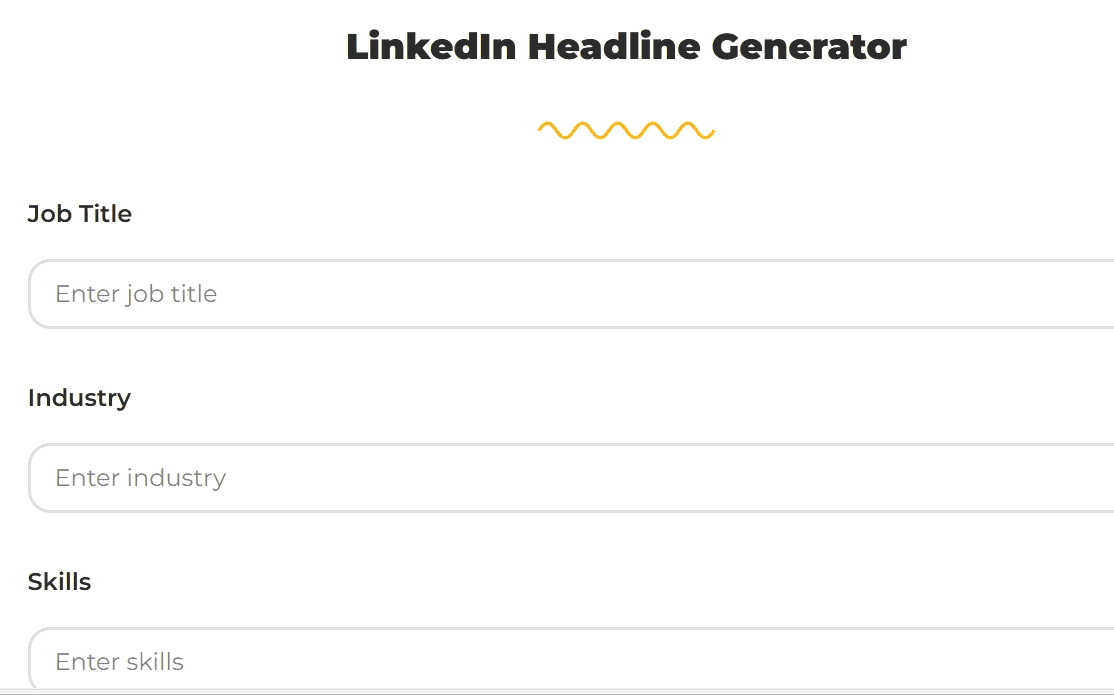
How to Use BeamJobs’ AI LinkedIn Headline Generator
Creating an attention-grabbing LinkedIn headline with BeamJobs is simple and effective.
Follow these easy steps to generate a headline that says you’re ready for hire:
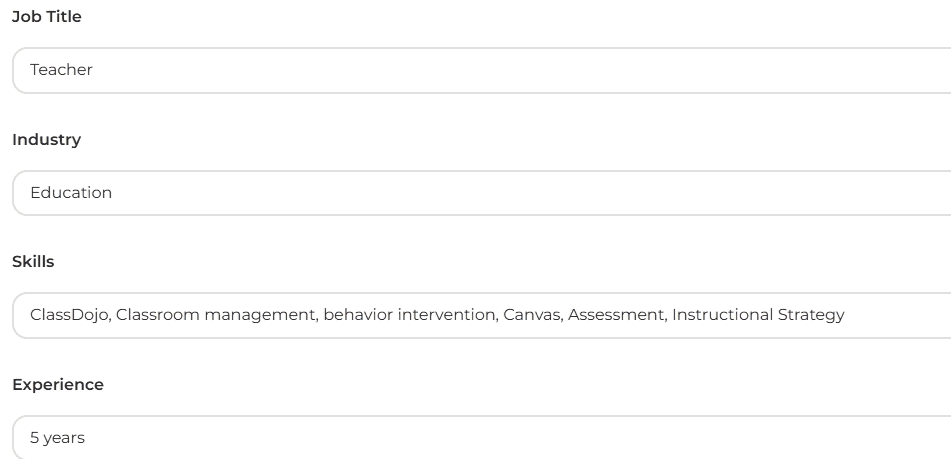
Add job title, profession, skills, and experience
Enter your current role, industry, skills, and experience. The free LinkedIn headline generator will instantly suggest AI-powered options based on proven best practices for your profession and industry.
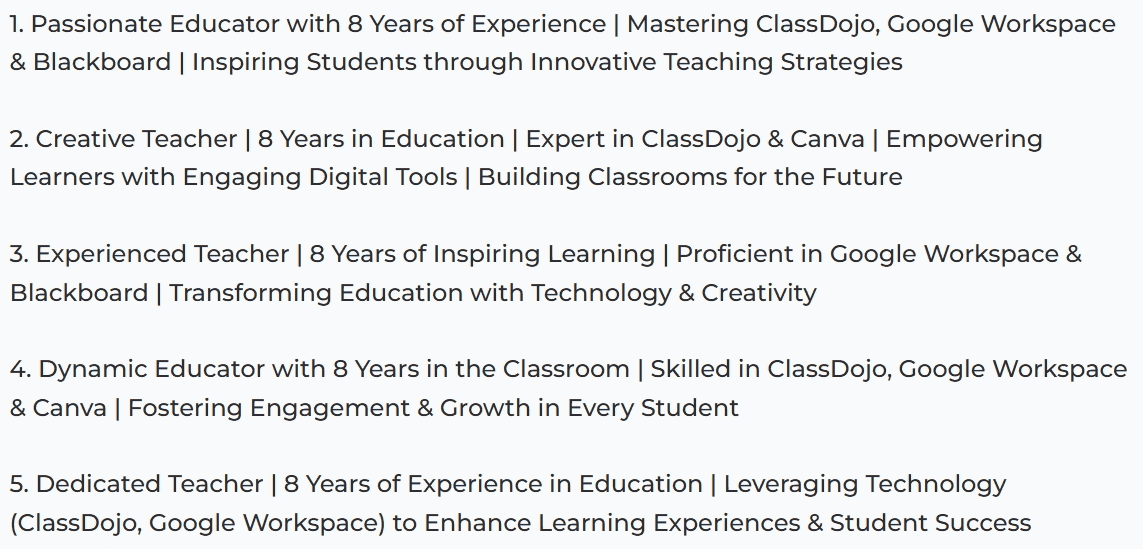
Select the best AI-generated headline
You’ll get five value-driven headline options tailored to make your profile stand out in searches and clicks.
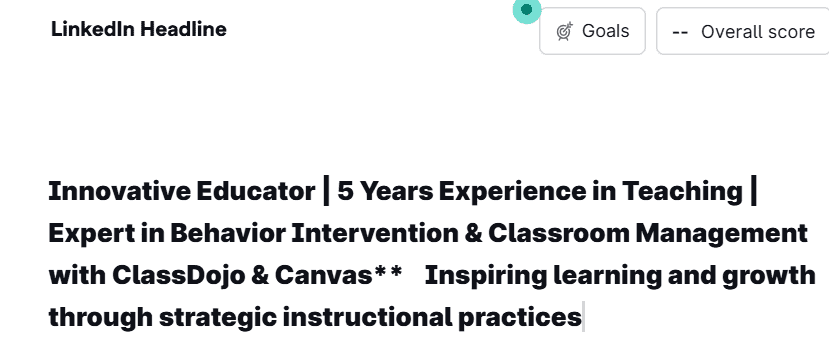
Personalize your headline to reflect your tone and style
Read the headline you’ve chosen aloud. Does it sound like you? If not, refine it to your liking or generate new options with the tool to ensure your LinkedIn headline is the best representation of yourself.
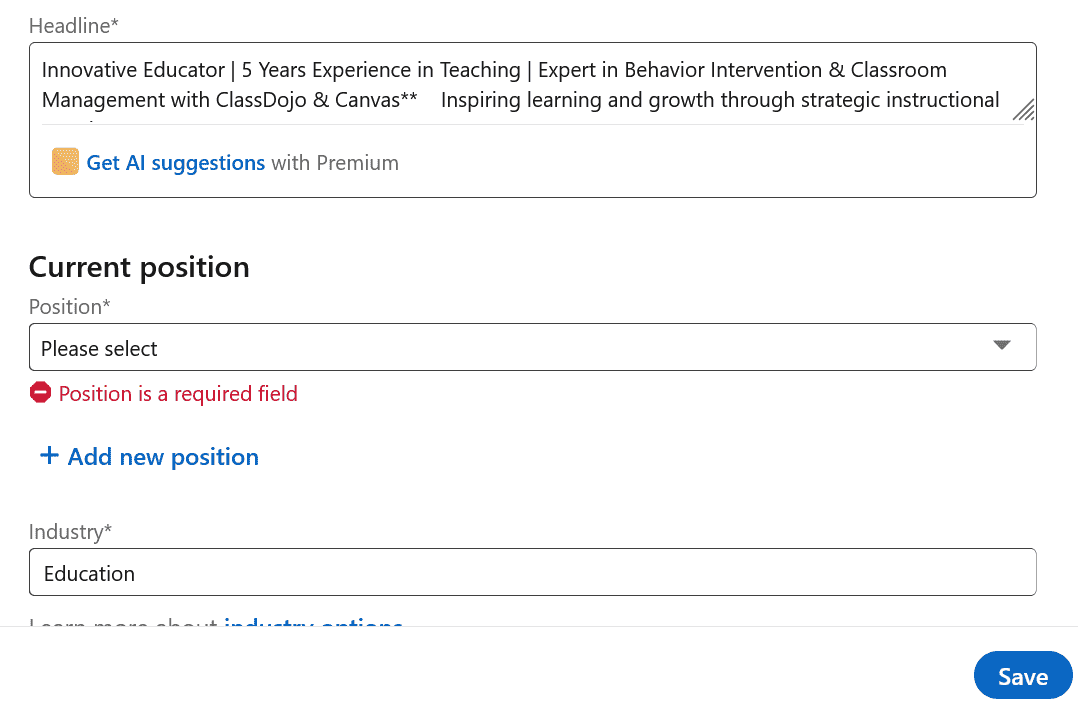
Update your LinkedIn headline step-by-step
To update your LinkedIn headline:
✅Go to your profile and click the pencil icon near your name
✅In the “Headline” field, enter your new headline
✅Click “Save” to apply changes
Why Use BeamJobs’ Headline Generator?
Our tool isn’t just smart; it’s also strategic, and here’s why it’s the perfect component you need to take your career to the next level:


How to Write a Good LinkedIn Headline
What is a good LinkedIn headline? It must have these three components:
✅Job Title – Make it specific
✅Experience or Result – Show impact and value
✅Specialty or Niche Skills – Add context with clarity
When we put it all together, we might have something like this:
Fractional CFO | Helped Startups raise $20M+ | FinOps for Climate Tech & Biotech
LinkedIn Headline Examples by Job and Experience Level
Let’s now explore some examples from different professions at various career levels:
Entry-level teacher
Entry-Level Teacher | Committed to Fostering Inclusive Classrooms | Skilled in Classroom Management, Smartboards, and Google Workspace Integration
Mid-level data analyst
Data Analyst | 3 Years in Data Insights & A/B Testing | SQL & Power BI Professional | Leveraging Agile & Azure for Strategic Decision-Making
Junior business data analyst
Junior Business Data Analyst | Focused on KPI Tracking & Data Management | Proficient in SQL, Pandas & Salesforce | Dedicated to Optimizing Business Decisions through Data
Senior data engineer
Senior Data Engineer | 7+ Years of Delivering Data Solutions | Specialized in Scala, Apache Spark, & Data Validation | Advocate for GDPR Compliance & Efficient Data Practices
Mid-level software engineer
Dynamic Mid-Level Software Engineer | Expert in TypeScript, MVC & AWS Lambda | 4 Years of Experience in Delivering High-Quality Software Solutions with a Focus on Root Cause Analysis
Entry-level customer service
Aspiring Customer Service Representative | Conflict Resolution & Teamwork Enthusiast | Proficient in ServiceNow, Zoho CRM & Trello | Driven to Achieve First-Call Resolutions
Junior graphic designer
Junior Graphic Designer | Skilled in Adobe XD, InVision, & Prototyping | Focused on Crafting Memorable Visual Experiences | 2 Years of Transforming Concepts into Reality
Lead project manager
Lead Project Manager | 6 Years in Change Management & Quality Assurance | Expert in Smartsheet, SharePoint & Oracle NetSuite | Driving Teams to Success through Data-Driven Insights
Mid-level data scientist
Mid-Level Data Scientist | 4 Years of Experience in Data Exploration & Analysis | TensorFlow & Matplotlib User | Collaborating Across Teams to Enhance Data Strategy
Experienced digital marketer
Strategic Digital Marketer | 8+ Years in Omnichannel Marketing & Analytics | Expertise in Google Search Console, Buffer & ActiveCampaign | Turning Data into Actionable Insights for Business Growth
More Free Tools
Leverage more free AI tools to kickstart or elevate your career:

Build a job-ready resume tailored to your goals—no design skills needed.

Instantly generate a customized cover letter that complements your resume and role.

Write impactful resume achievements and check your resume for a snapshot of where you can improve.

Complete your LinkedIn profile with an “About” section that draws in recruiters.

Import your LinkedIn profile and get a head start on creating your resume.

Stand out with a headline that captures and presents your potential to employers.
Job Seekers Trust BeamJobs to Stand Out in the Search
BeamJobs’ AI tools are designed to get your application noticed and land interviews faster—every single time.
Frequently Asked Questions
What is a LinkedIn headline generator?
A LinkedIn headline generator is a free AI tool that creates optimized headlines for your LinkedIn profile. It removes the guesswork by using your job title, industry, and skills to produce clear, keyword-rich headlines that attract recruiter attention and improve your visibility in LinkedIn search.
How does the BeamJobs LinkedIn headline generator work?
Enter your job title, industry, core competencies, and experience, and the BeamJobs LinkedIn headline tool uses AI to instantly generate five headline options. Each suggestion is personalized to help you stand out in search results and drive more profile views.
Why should I use BeamJobs’ LinkedIn headline generator?
BeamJobs gives you a competitive edge on LinkedIn by generating personalized, keyword-optimized, and recruiter-friendly headlines. Users report faster interview calls, more profile clicks, and a stronger personal brand—without having to write a single sentence from scratch.
How can I improve the headline suggestions I get?
Be specific with your job title, profession, and skills, and ensure they represent your profession and career. Once you get the best option, use keywords, skills, and duties that represent your brand and career goals.
Can AI write my LinkedIn headline effectively?
Yes! We’ve trained our tool with job-specific and professional examples to write headlines that match industry tone, are optimized for visibility, and highlight your strengths for the role you’re applying for.
What should I put in my LinkedIn headline if I don’t have a job?
Focus on your transferable skills, career goals, and any online certifications, and showcase your passion for the sector.
A good example for a recent graduate: Marketing Graduate | Seeking Entry-Level Role | Google Ads Certified.
How often should I update my LinkedIn headline?
You should regularly update your headline, and you should be diligent to update it each time your career situation changes or your goals shift,. For example, if you go from looking for work to independent consulting, that’s a major change you need to update in your LinkedIn headline.
What is the character limit for a LinkedIn headline?
LinkedIn allows up to 220 characters, but the first 70 are the most visible and will more likely seal the fate of whether a potential recruiter continues to review the rest of your profile.
Where does the LinkedIn headline appear on my profile?
Typically, the headline is placed right below your name. However, when potential employers search online, the headline will appear on your profile, search results, and LinkedIn messaging previews.
This is why the perfect headline gives you maximum visibility every time a search includes the keywords you’ve used.

Stephen is the co-founder and CEO of BeamJobs. Frustrated with the challenges he'd faced in his own job search, he left the corporate world to start BeamJobs with his brother. Drawing on firsthand experience with hiring and getting hired as technical talent, he started BeamJobs in 2020 to help qualified job seekers land interviews with less stress. Since then, more than 4 million people have built their resumes and cover letters on BeamJobs. Stephen's insights have been featured in notable outlets, such as Fast Company, Business Insider, Yahoo Finance, MIT, and Zapier. Learn more about Stephen.

