



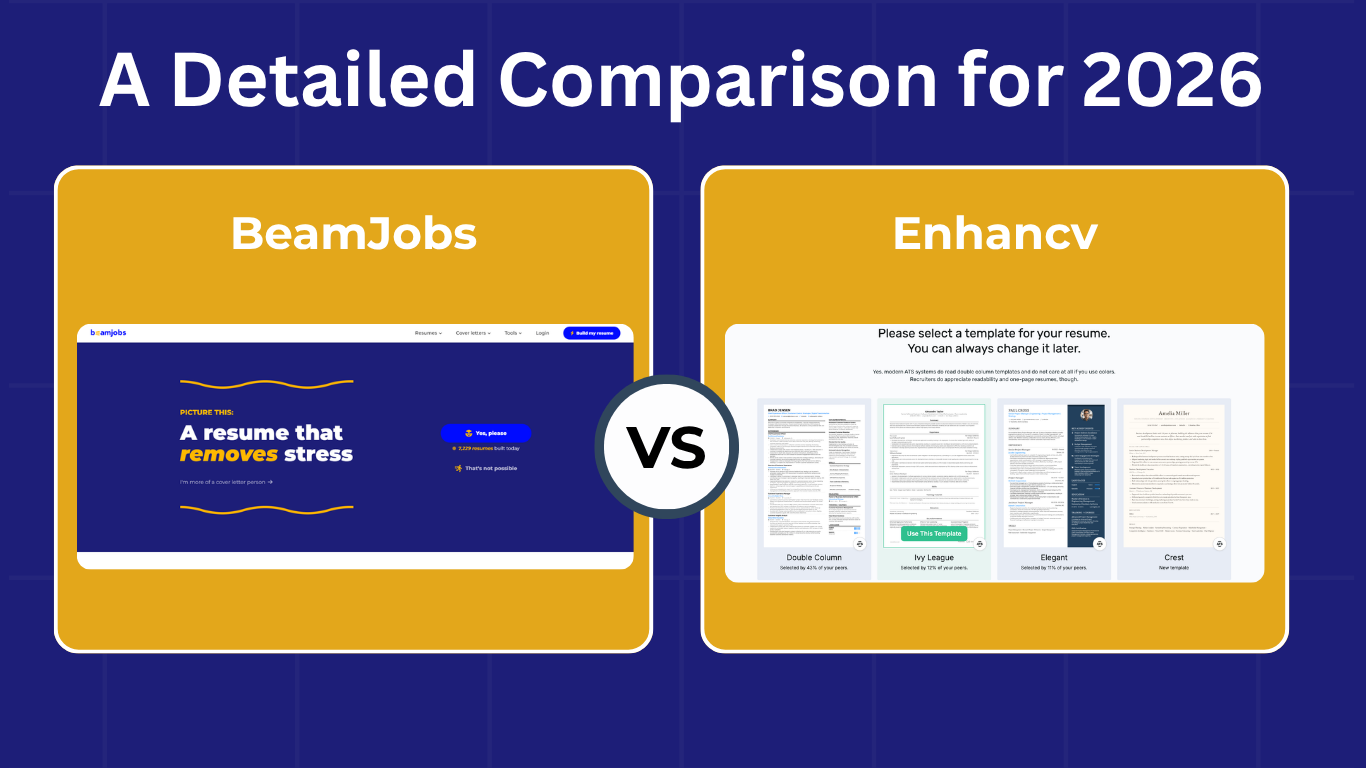
N ot sure which one’s the right choice? Here’s the bottom line: Both will let you create a resume from scratch or import an existing one.
It all boils down to what matters to you most:
- A polished resume that’s tailored to the job? BeamJobs is built for this.
- A resume with various customization options for design? Enhancv can provide more visual customization.
We put both platforms to the test, from the moment we clicked “Build my Resume” or “Get Started” through to downloading the finished resume. Our hands-on testing included creating resumes with and without user accounts.
Below, we’ll break down how each builder handles the initial setup, AI-assisted writing and refinement, design flexibility, and overall value in 2026.
Quick Verdict: BeamJobs vs. Enhancv

BeamJobs excels at guiding users through structured, job-specific content improvements with minimal friction. Conversely, Enhancv acts as a full visual design canvas built for creative customization.
Choose BeamJobs if:
- You want to tailor your resume directly to target job descriptions with actionable keyword gap analysis.
- You need instant, granular feedback to rewrite weak resume bullets into impact-driven achievements in one click.
- You prefer a fast, guided process with minimal learning curve and no mandatory upfront account wall for initial feedback.
- You want an all-in-one ecosystem covering resume building, cover letters, and resume-to-job matching.
- You want access to 50+ free Google Docs and MS Word templates alongside builder-native layouts.
Choose Enhancv if:
- You prioritize high-end visual customization and design aesthetics over standardized layouts.
- You want granular drag-and-drop control over columns, fonts, custom color palettes, and visual elements.
- You prefer comprehensive, whole-document feedback on overall readability and grammar within a live visual canvas.MS Word templates alongside builder-native layouts.
BeamJobs vs. Enhancv at a Glance

Account Access | BeamJobs | Enhancv |
|---|---|---|
No-Account | Unrestricted AI feedback: Get tailored bullet-point scoring, metric suggestions, and 50+ free Google Docs/Word templates without logging in. | Locked: Cannot test feedback, preview layout options, or view ATS metrics without registering. |
Free-Tier Limits for New Accounts | Free editing, template zoom/color previews, and initial bullet feedback. | Basic tier allows building a draft, but exports carry heavy Enhancv branding/watermarks and AI feedback is heavily capped. |
Job-Description Matching | Pinpoints specific keyword gaps & missing qualifications | Integrated analyzer gives a matching score and suggestions |
Bullet Point Improvement | Granular scoring with AI reasoning, action verb suggestions, metric reminders, & 1-click update | AI writing assistance and feedback |
Resume & ATS Feedback | Real-time per-bullet scores and dedicated resume scanner/checker | Whole-document grammar, structural readability, and keyword checks |
Templates | 50+ templates across Google Docs and Microsoft Word. 9 in-house clean, ATS-tested, structure-locked layouts | 17+ in-house templates |
Design Preview | Allows you to zoom in, inspect, and select colors before finalizing a resume template | Selection occurs on canvas only after you pick a template |
Pricing & Access Model | Free preview/bullet scoring. Trial plan: 14 days at $2.99. Cancel anytime. Switches to $34.99 every four weeks if continued. Annual plan: $83.88/year ($6.99/month) | Free basic tier for seven days (watermarked/limited). Monthly plan: $39 Quarterly plan: $69 Semi-Annual Plan: $99 |
How Easy is it to Build a Resume on Each Platform?

BeamJobs and Enhancv let you build a resume without needing to sign up. Neither platform locks templates behind a paywall so you’re free to choose any design you want.
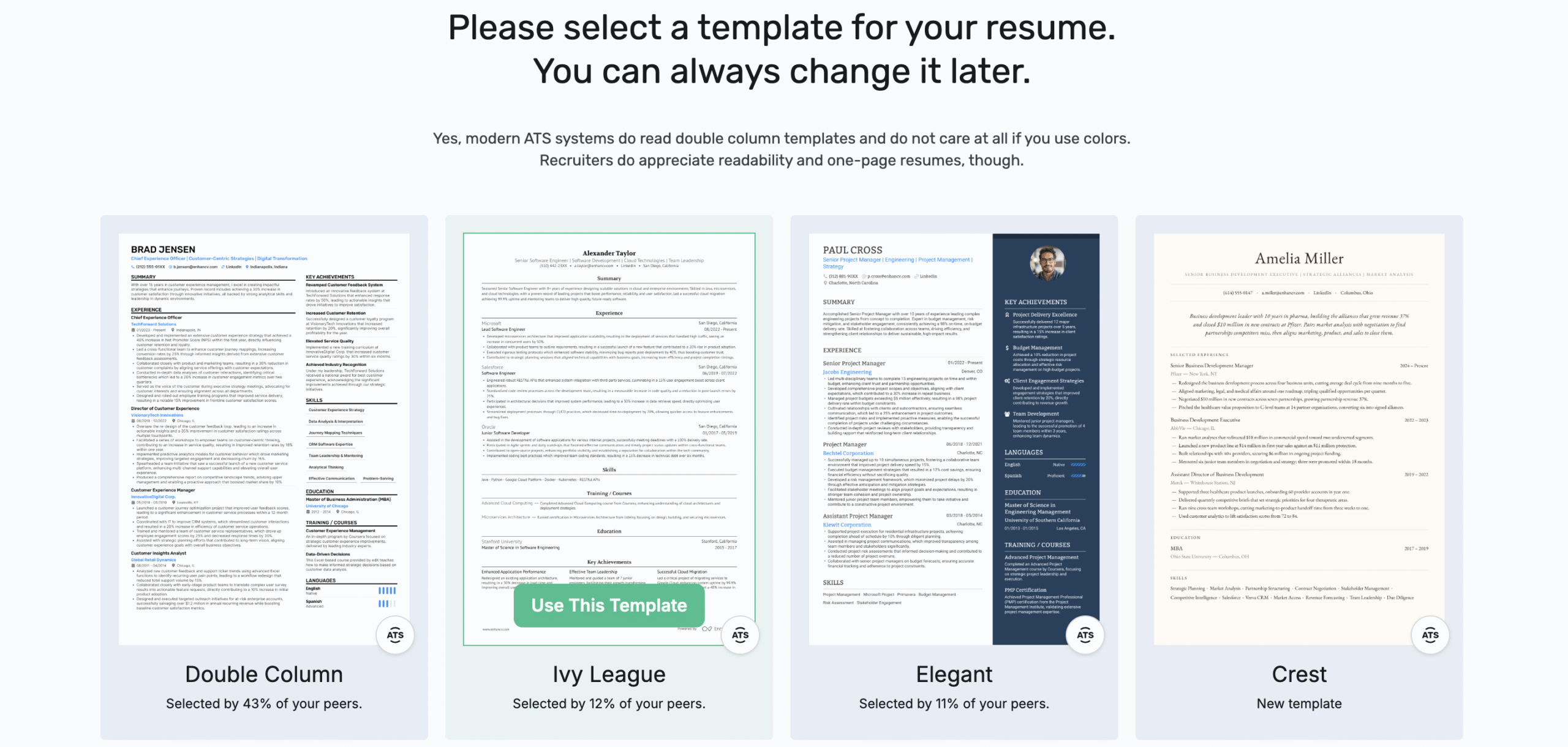
Enhancv starts you empty handed or with a five-step process
Unless you pick a template from the get-go, Enhancv leaves you with nothing, but a blank canvas. This may work for creative individuals with tons of ideas for their resumes. However, that’s not the average job seeker who just needs to get out a resume and apply to a job.
Choosing a resume from their templates page will pre-fill all sections by default and was (in our experience) the quickest way to build a resume with Enhancv.
Interestingly, if you pick the ‘Build My Resume’ option on the homepage, it’ll take you through five steps (via an AI called Julia) before you get to the actual builder. The platform:
- Asks whether you have an existing resume.
- Provides an empty to type in your targeted job title
- Questions you whether you want to impress HRs or pass ATS systems
- Displays various templates in order of popularity
- Lets you add your LinkedIn if you have one
The third step doesn’t directly contribute to creating your resume. Also, while choosing templates, Enhancv doesn’t let you zoom in, to preview any design.
BeamJobs lets you handle things quickly whether you have a resume or not
Regardless of whether you have a resume or not, BeamJobs asks you two simple questions upfront: Your existing resume and LinkedIn.
Don’t have either? No issues.
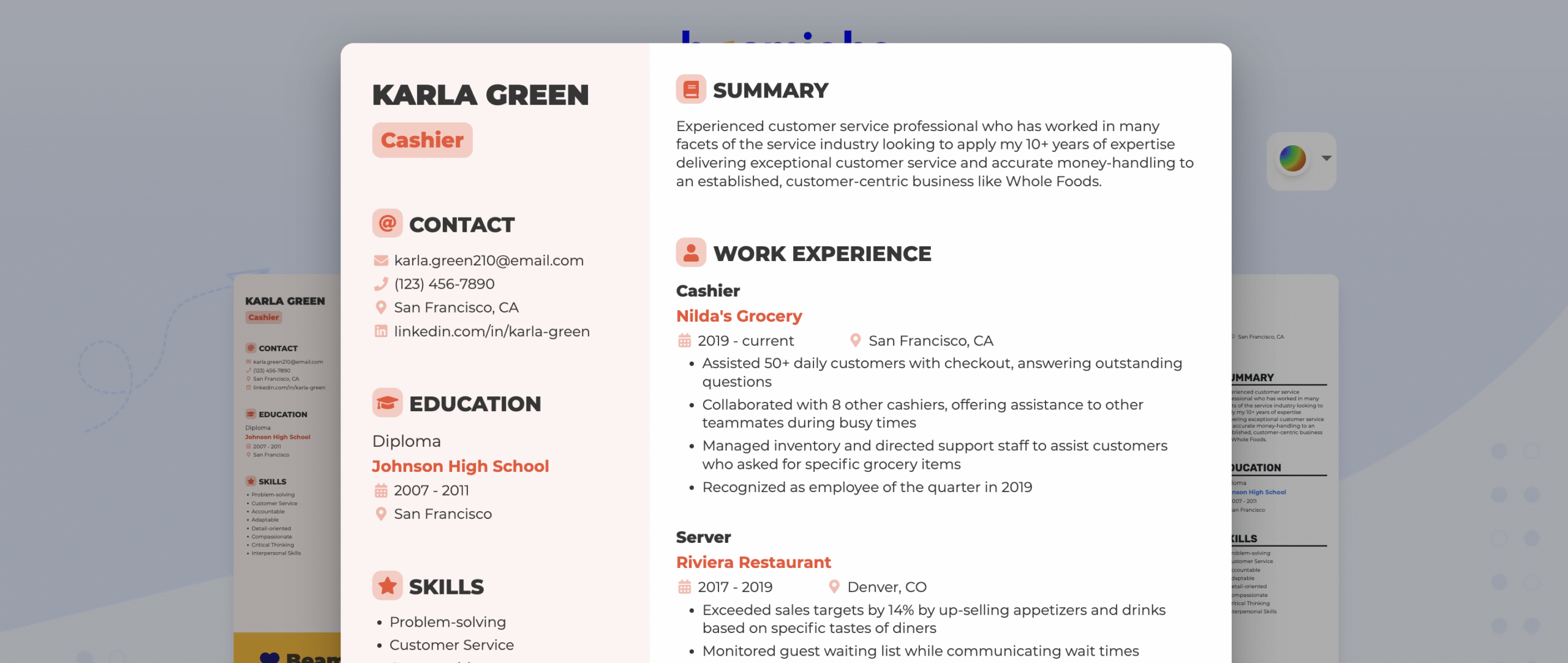
It’ll take you straight to the templates page. Here, you can pick a color and zoom in designs to get a better look before you choose one.
Who Has Better AI Resume Writing?

Your resume must have accurate bullet points to impress recruiters
Enhancv gives you various suggestions, but you’re still left guessing
When we uploaded a sample resume to Enhancv, it parsed it fairly quickly. However, for a first time user who hasn’t bought their subscription, the platform gives you very basic resume feedback, such as spelling issues. The remaining? You’re left to guess unless you pay for it. Although it does rewrite experience from your existing resume content using AI.
BeamJobs uses your own words and lets you explore other ideas
It doesn’t matter whether you import your resume or write from scratch, BeamJobs gives you free resume feedback at a bullet level. That means every bullet point in your resume is tested rigorously with AI and you get the best suggestion (with reasoning) at hand, letting you rewrite in one click.
Our templates contain bullet points that are specific to jobs in the current market, so if you don’t have a resume, you can easily browse a resume examples page and start editing points. For skills, you can either group them or keep them in one list. You have the choice to place them in a horizontal or vertical format.
Our Finding:
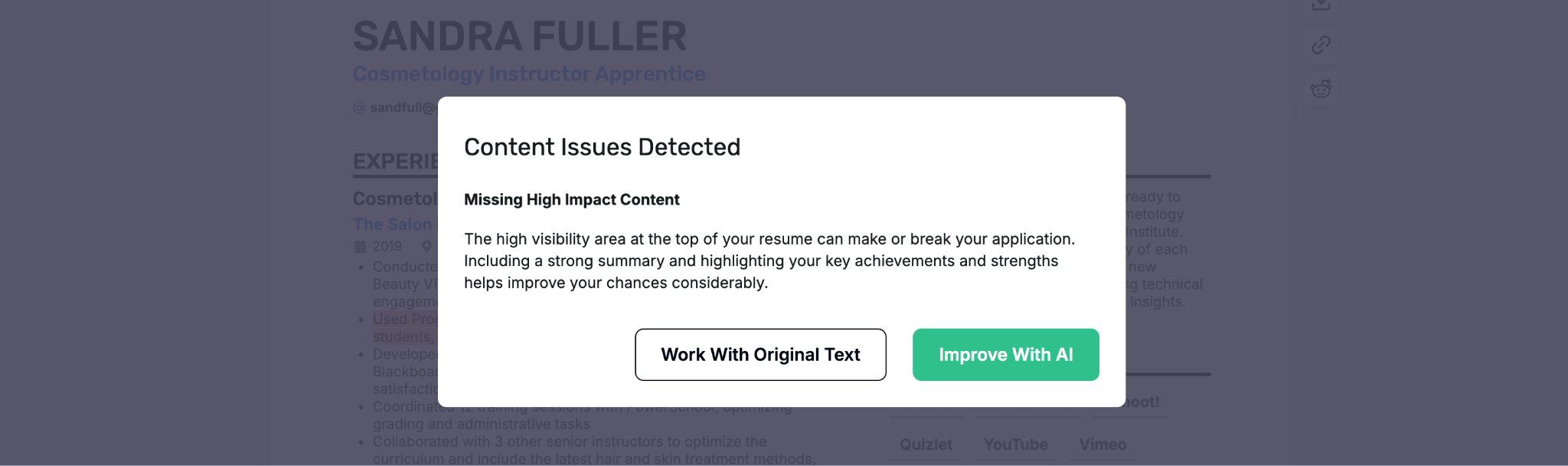
When we gave Enhancv a resume sample, it displayed a popup saying ‘Content Issues Detected’ and gave the suggestion to ‘Improve With AI.’ However, it never tells you exactly what it changed or why so you’re trusting their system blindly.
Job Description Matching & Resume Tailoring: What’s Worth it?

This one’s pretty simple: In the end, you want a resume that gets you through the ATS and shows employers you’re the best fit.
Enhancv gives you a score, and that’s about it
When you feed the tool a job description, it’ll take some time and then give you a score on how well your resume matches the job post. Click on the ‘Check and Tailor’ option on the top and it pops open a sidebar to the left with the heading ‘ATS Check.’
We placed our cursor over it and got information on how ATS systems aren’t really used a lot. This somewhat defeats the whole purpose of having a heading called ‘ATS Check.’ Unless you upgrade to their Pro plan, you’ll be left primarily with the score. In our testing, the score alone wasn’t enough to understand why the resume received that rating.
To test it, we used a tailored resume for a prompt engineer and fed Enhancv a job description. It gave us a score of 73%. Fair enough, right?
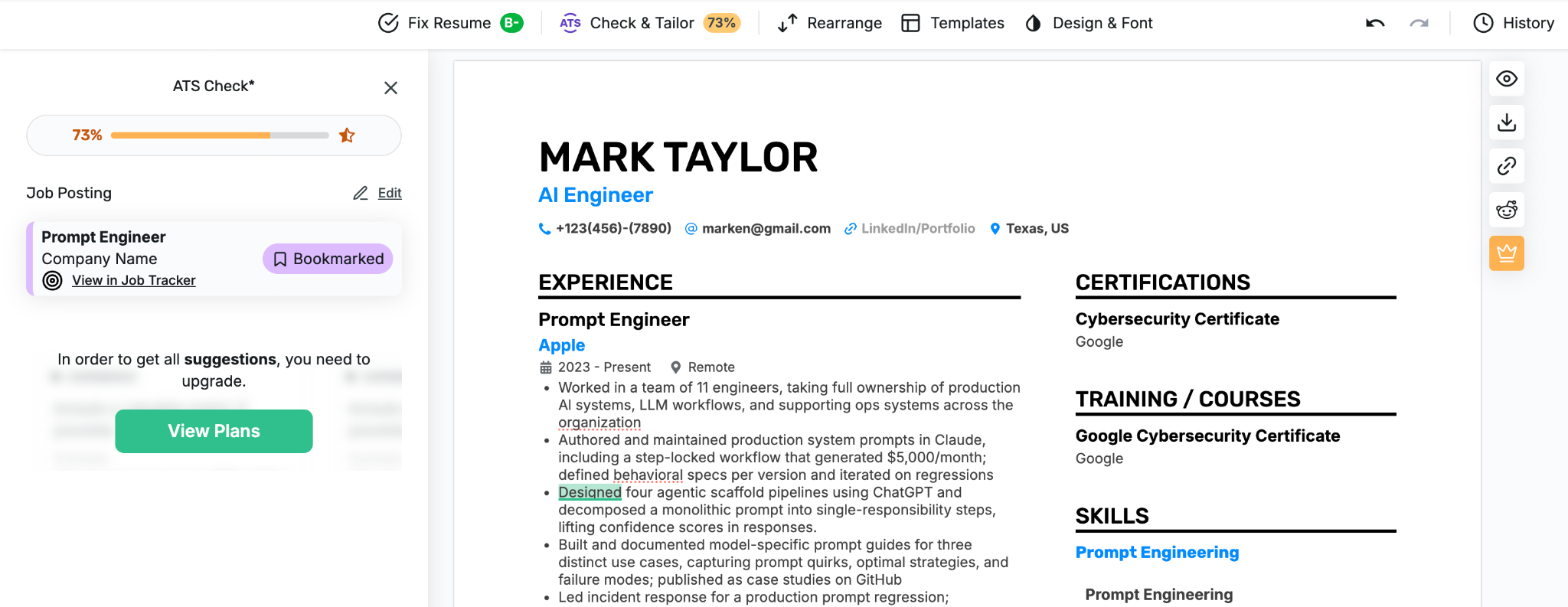
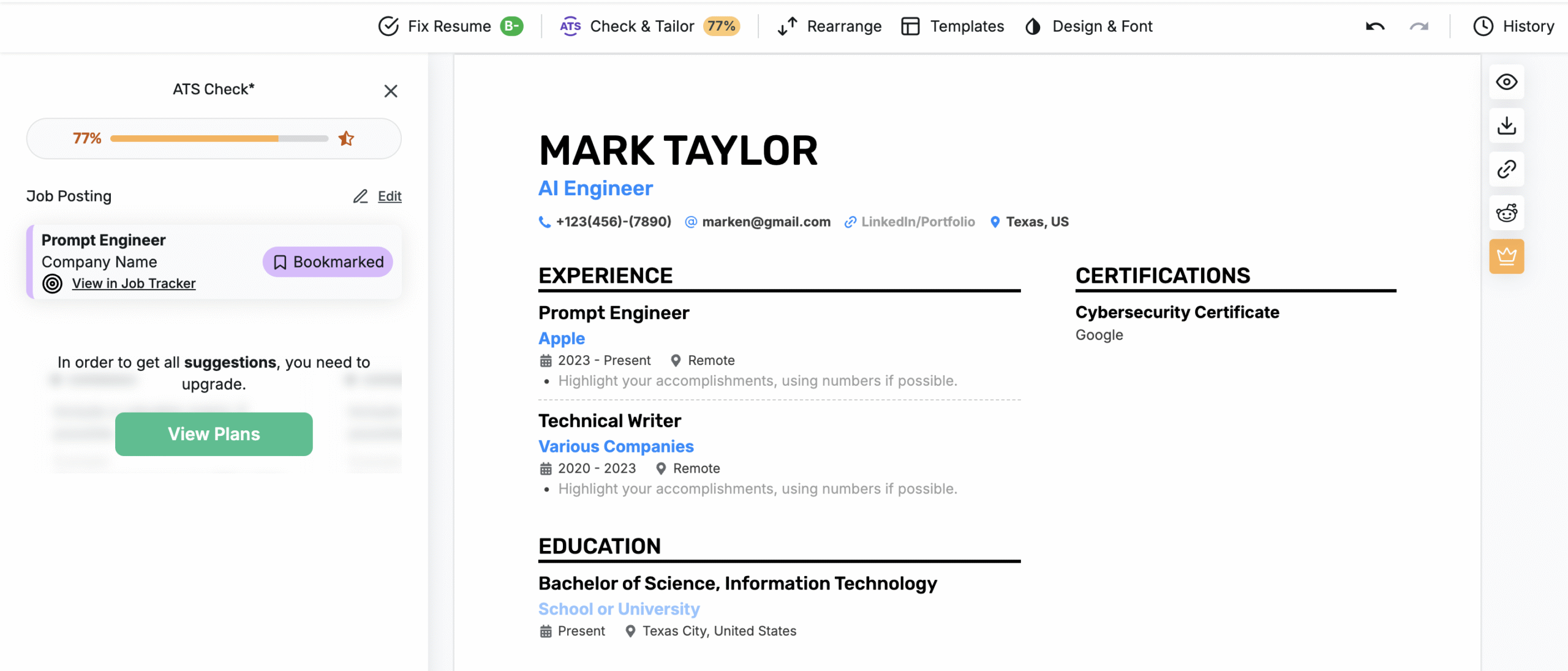
We thought the same, until we deleted nearly all content from it. Naturally, our team expected the score to drop.
Instead, it now grew to 77%.
The same resume was now apparently more tailored to the job without any experience or skills listed. Not exactly the type of evaluation you want to trust when you’re unemployed and every application counts.
BeamJobs is simple, but gets the job done
We’re not making big claims. In fact, our job matcher is also on the paid plan (even the free trial). The difference is, our tool is simple: You give us a job description and we’ll show you all the high/low priority keywords in the post.
Having every keyword isn’t necessary, but your resume should reflect the skills and requirements that are genuinely relevant to your experience.
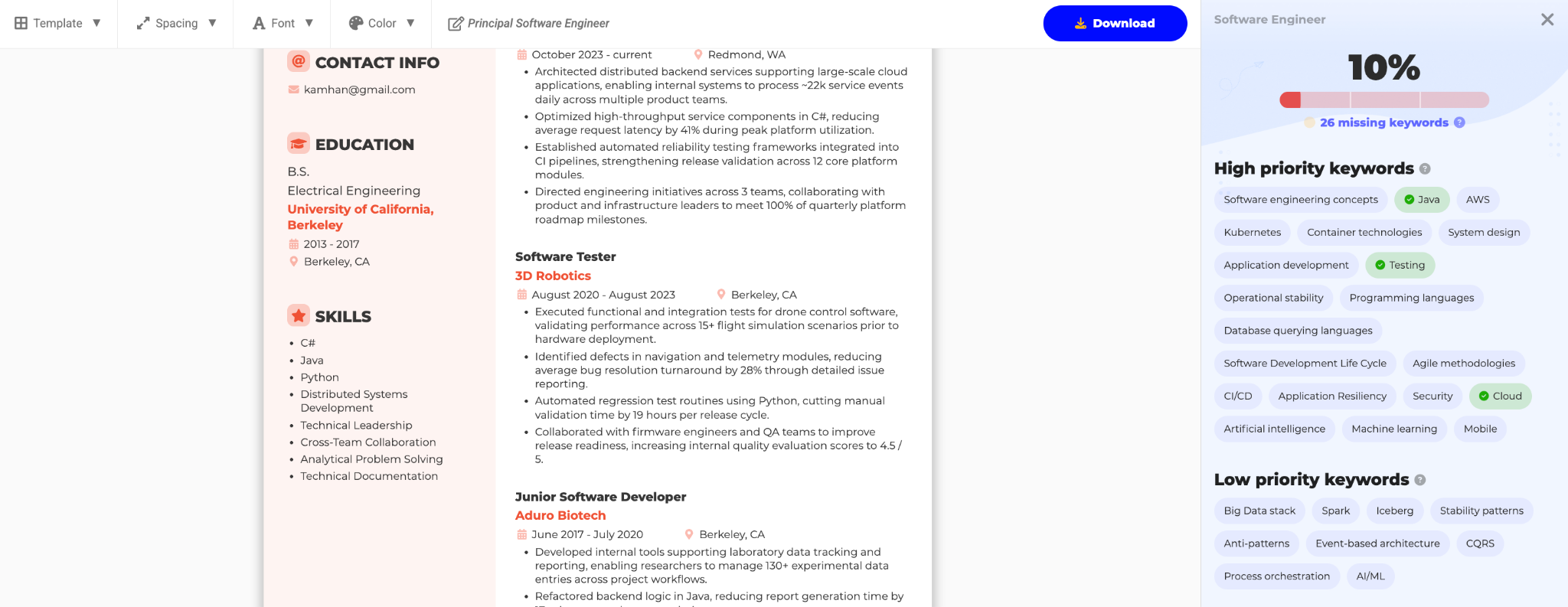
And this is what really matters to ATS with strict filters and even HRs who may not understand the jargon of your niche. They’re mainly looking for experience that shows them you’ve read the job description and can bring results for the company.
‘A job matching tool that’s paid for, but simple and to-the-point is better than an AI with inaccurate analysis.’
— Our Take
Which Tool Creates Better Resume Bullet Points for Free?

Most bullet points of your resume, especially the ones on the top must be quantified and tailored to the job. If there’s one thing that turns users away from Enhancv, it’s this. Out of the two, only BeamJobs gives you truly ‘free’ feedback on your bullet points.
Enhancv gives you grammar checks, the rest is up to you (unless you pay)
When it comes to bullet points, Enhancv detects whenever you make a grammar mistake and highlights the entire point in light red. That’s pretty convenient, until the sneaky nudge animation says ‘Upgrade to See Mistakes.’
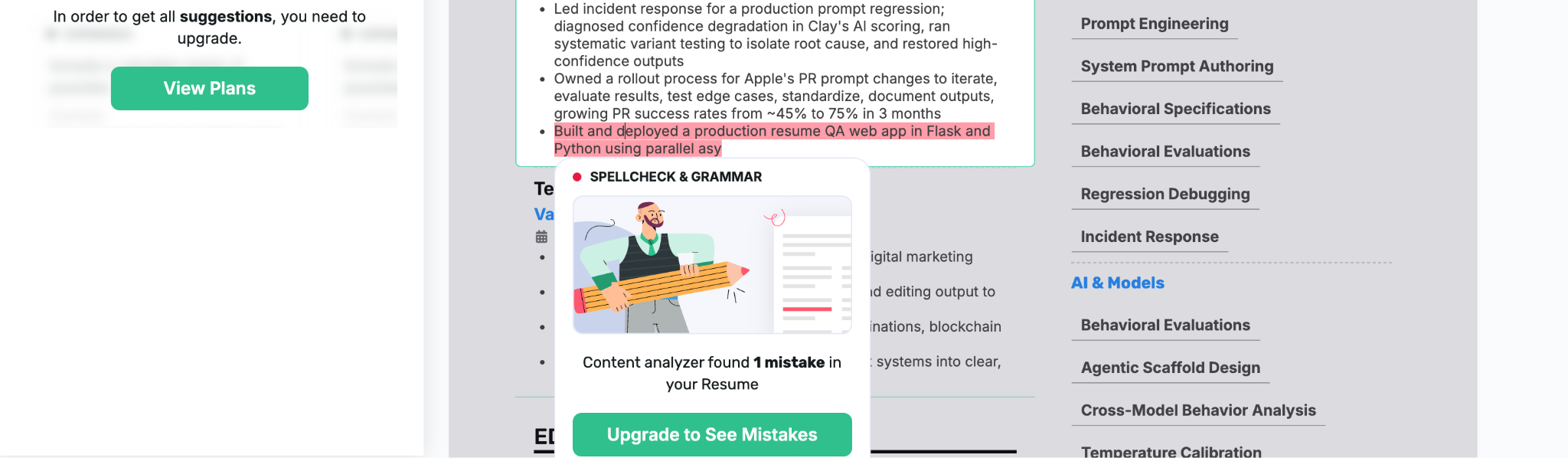
Once again, you’re left to guess what you should really edit.
BeamJobs gives you free evaluation on every bullet point (no payment ever needed)
When writing a resume, our AI automatically analyzes your bullet point(s) and gives you instant feedback. Points with a green tick don’t require your attention, but those with a red exclamation mark can be improved.
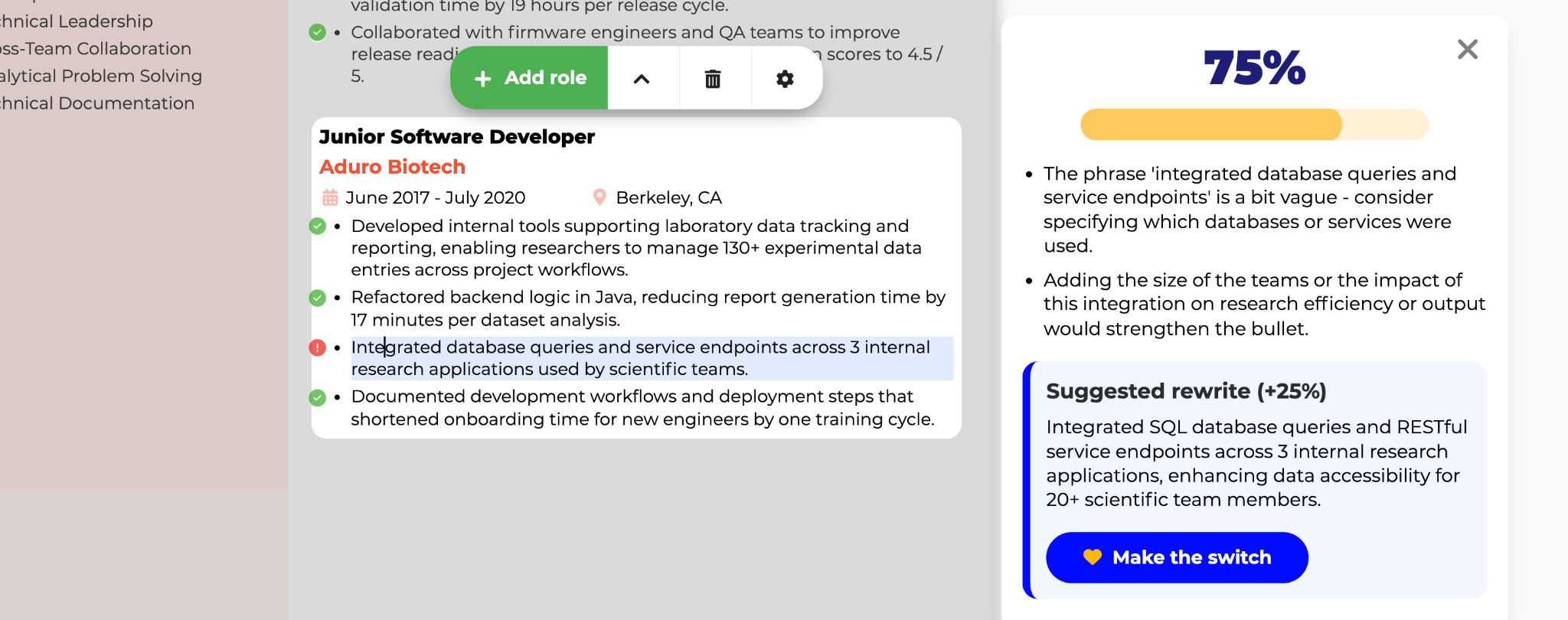
Our bullet point generator lets you rewrite in one click. It also gives clear reasoning behind our suggestions and you never pay a cent for any of it.
Who Wins in Resume Templates & Design?

Templates can help show creativity to employers and make it easy to scan your resume.
Enhancv has various in-built templates
Enhancv hosts a total of 23 in-built templates that you can pick (but not zoom and preview) before creating a resume. Each template claims to be tested to pass ATS systems. However, some of its templates are repetitive and almost look identical except for a few element changes.
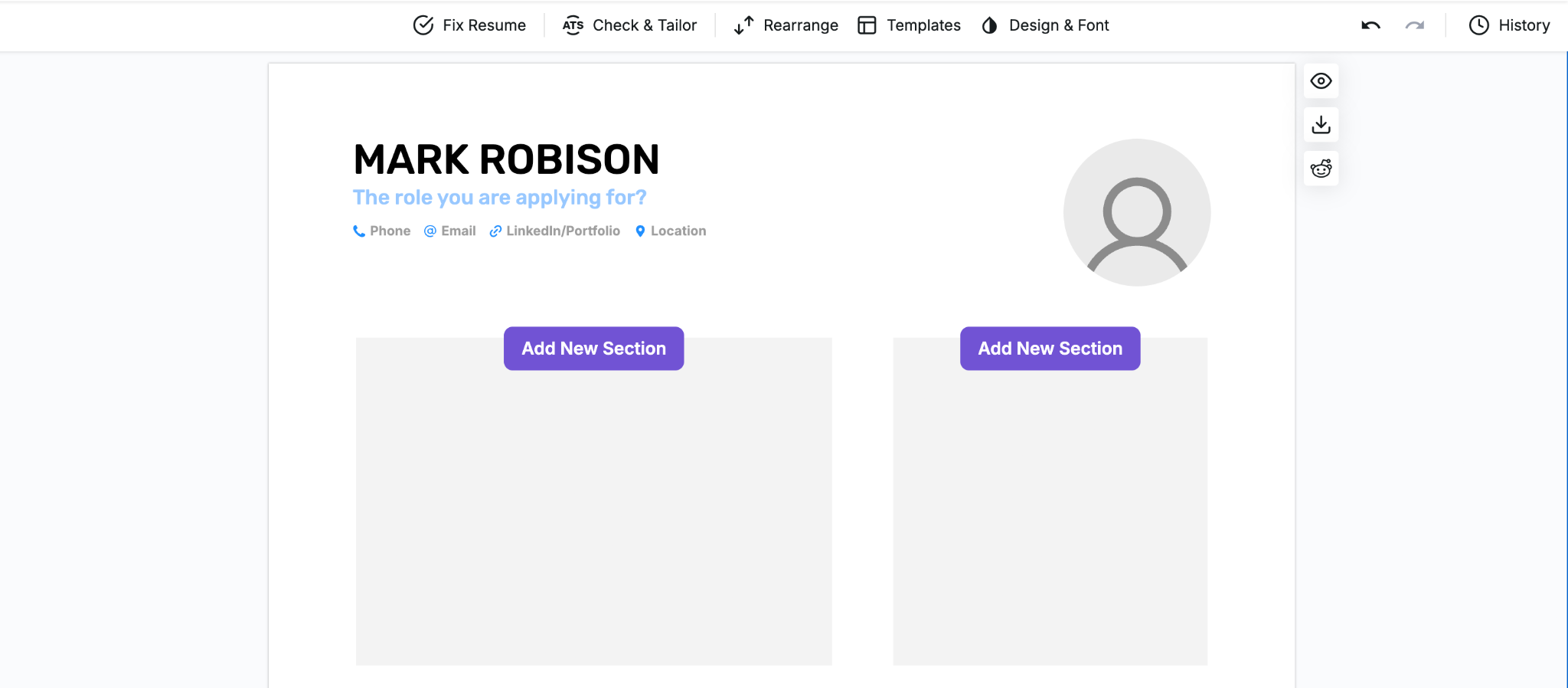
In any case, the visual editing options are helpful. You can drag-and-drop any section you’d like and make a bunch of changes to the overall design. Plus, it gives you different formatting options for adding resume skills, which can be useful when you’re short on space.
BeamJobs gives you nine in-built and 50+ unique designs
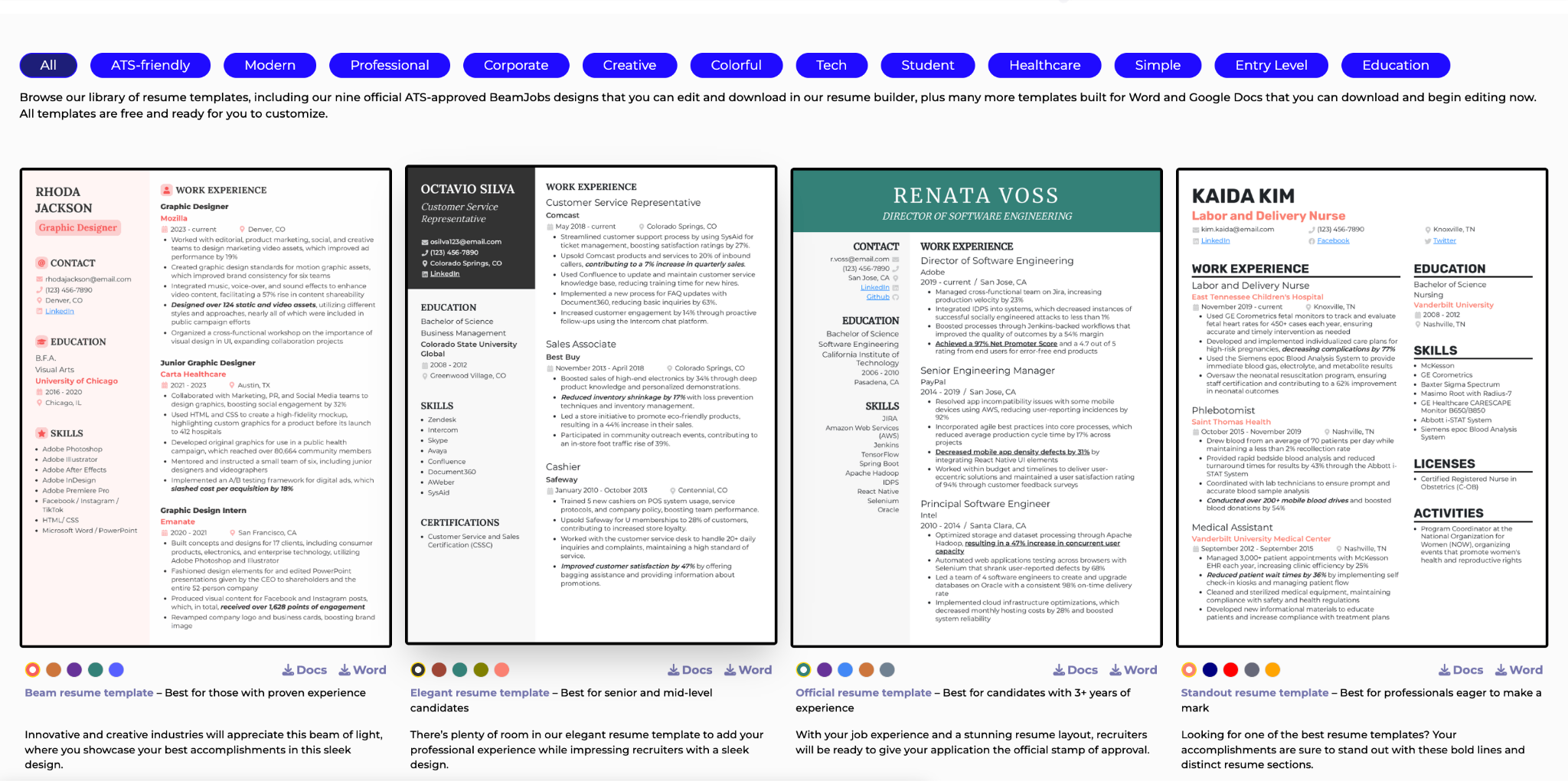
With BeamJobs, you get nine in-built templates inside the builder. We also host a separate resume templates page with 50+ designs where you can import a design into Word/Google Docs for free.
From changing the position of each section, different font sizes, colors, and spacing, you can make all the changes you really need, without going overboard or needing design classes.
What’s Better for Making a Cover Letter?

Cover letters are a great addition to your resume in any application. Enhancv and BeamJobs are both good at generating a cover letter. What matters is whether they’re tailored to the job.
Enhancv has a free cover letter generator that thinks it’s editing a resume
When we first decided to try out Enhancv’s cover letter features, we wanted to see how well it would do with an existing resume. So we pressed the plus sign on the dashboard and got a cover letter version of our sample resume.
The cover letter builder isn’t very different from the resume builder. So much so, it even calls the document a ‘resume’ instead of a cover letter at all times. No one asked which job the cover letter is needed for either.
BeamJobs has a comprehensive cover letter generator that actually gets things done
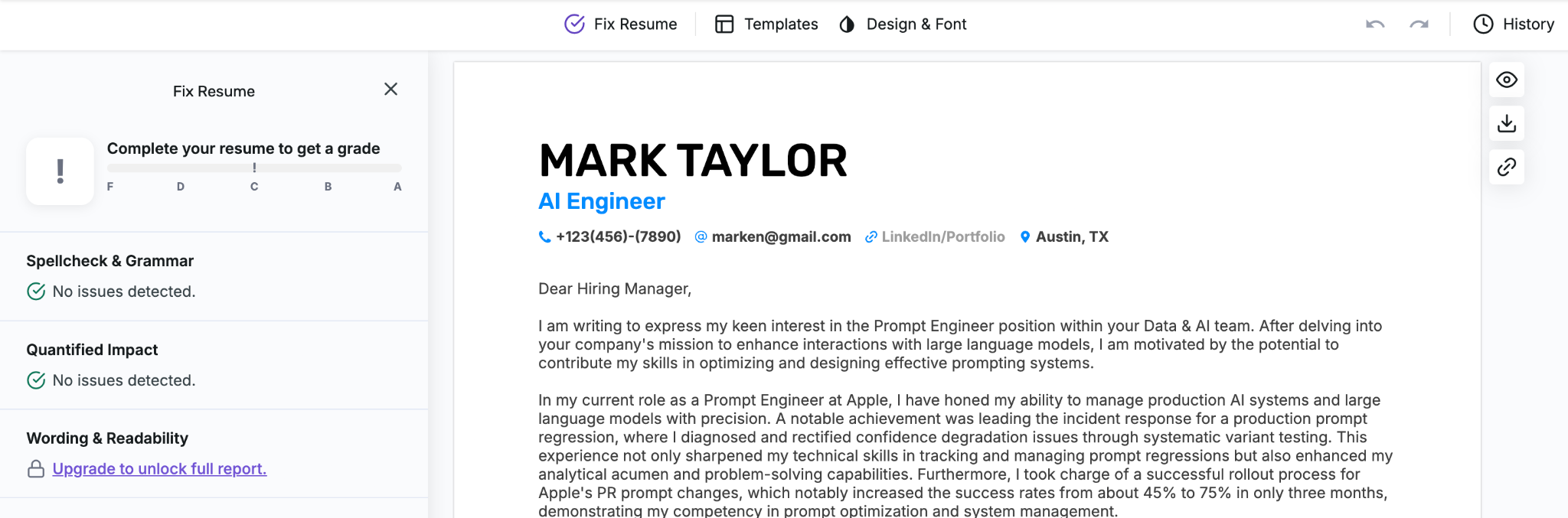
Our cover letter generator sits right with the resume builder. You simply press one button on the top of the builder. Next, paste a job description and we’ll generate a cover letter in seconds.

You can copy the entire thing to make any edits as you see fit.
Not happy with the first result?
Simply press the icon next to the copy button to re-generate a new cover letter. We let you choose any of the nine templates in Google Docs/Word as well for easy formatting and more editing flexibility. You’ll also get a quick message showing if you built any cover letters previously for the same resume.
BeamJobs vs. Enhancv Pricing

Below, we’ll evaluate BeamJobs and Enhancv’s pricing side-by-side and reveal fundamental differences in their free-tier access, trial models, and overall value for different job-search timelines.
Free-Tier Capabilities: What Can You Actually Do Without Paying?
Account Access | BeamJobs | Enhancv |
|---|---|---|
No-Account | Unrestricted AI feedback: Get tailored bullet-point scoring, metric suggestions, and 50+ free Google Docs/Word templates without logging in. | Locked: Cannot test feedback, preview layout options, or view ATS metrics without registering. |
Free-Tier Limits for New Accounts | Free editing, template zoom/color previews, and initial bullet feedback. | Basic tier allows building a draft, but exports carry heavy Enhancv branding/watermarks and AI feedback is heavily capped. |
Paid Plans, Trials, and Renewal Terms
BeamJobs Pricing Model
BeamJobs helps job seekers who want flexibility, whether that’s a quick 2-week push to fix a resume or ongoing access during an extended job search.
- Trial Access: Short-term full-access trial that costs $2.99 for 14-day access, cancel anytime. Switches to $34.99 billed every four weeks if continued.
- Annual Plan: Pay $83.88 upfront for the whole year. The overall monthly price becomes $6.99/month.
Enhancv Pricing Model
Enhancv operates on a traditional multi-tier subscription structure with discounts for quarterly or semi-annual commitments, but requires higher upfront costs. In fact, its basic monthly plan is costlier than BeamJobs’ plan of $34.99/four weeks.
- Monthly Plan: $39/month.
- Quarterly Plan: $69/quarter
- Semi-Annual: $99 (billed as a single upfront chunk every 6 months).
On Enhancv’s monthly plan, you’ll be billed $468/year, while with BeamJobs’ you only need to pay $83.88/year. That’s nearly $400 cheaper for the entire year.
The problem with Enhancv isn’t just its price, but its ‘free plan.’ Once your seven days are up (during which you can’t download a resume without branding nor get proper job tailoring features), you won’t be able to even edit your resume again unless you subscribe for a plan.
BeamJobs vs. Enhancv: Which One Is Right for You?

The million dollar question, which one’s the better option here?
The answer depends on your career experience and requirements. Enhancv is a good tool for those in graphic design or niche professionals who’re experienced in making their resumes stand out visually.
Additionally, Enhancv hosts a bunch of other tools, such as its job tracker and LinkedIn coach. It acts as a jack-of-all-trades that specializes in none. Plus, the sheer amount of features can easily overwhelm a new job user the first time.
Conversely, BeamJobs caters to the average job seeker that really just wants to get a resume ready and apply to a job, not having to worry about ATS or other hiring jargon. It gives you everything you need to score an interview, and nothing you don’t.
Try our AI resume builder to see how it handles your existing resume and a job description you’re targeting. After all, getting a job shouldn’t be so hard.
BeamJobs Vs. Enhancv FAQs

Yes. BeamJobs is better than Enhancv for job seekers who want fast, low-friction content optimization, instant bullet-point feedback without an account, and dedicated resume-to-job description matching.
It is ideal for if you want ATS-tested templates, clean formatting, and an intuitive workflow without a steep learning curve.
To cancel your Enhancv subscription, you need to visit your billing settings while logged in. You’ll find an option saying ‘Cancel Subscription.’ Once you take a survey, you won’t be charged anymore.
As you build your resume on BeamJobs and download a resume, you can easily apply for the trial first and continue using us for future resumes.
Yes, BeamJobs is far more affordable and flexible than Enhancv:
BeamJobs: Offers a 14-day trial for $2.99 or an Annual plan at $83.88/year ($6.99/month). It also provides 50+ free Google Docs and Word templates without requiring an account.
Enhancv: Costs $39/month on its standard monthly plan, $69/quarter, or $99 semi-annually.
Yes. BeamJobs includes a dedicated Resume-to-Job Description Match tool. Users can paste a target job listing to receive an instant analysis of missing keywords, qualification gaps, and actionable recommendations to align their resume with the specific role.
BeamJobs is better for strict ATS compliance because all 9 of its builder templates are structural-locked and pre-engineered for standard parser compatibility. While Enhancv offers strong ATS checking, its high degree of visual customization also risks introducing layout issues if over-customized by the user.

Stephen is the co-founder and CEO of BeamJobs. Frustrated with the challenges he'd faced in his own job search, he left the corporate world to start BeamJobs with his brother. Drawing on firsthand experience with hiring and getting hired as technical talent, he started BeamJobs in 2020 to help qualified job seekers land interviews with less stress. Since then, more than 4 million people have built their resumes and cover letters on BeamJobs. Stephen's insights have been featured in notable outlets, such as Fast Company, Business Insider, Yahoo Finance, MIT, and Zapier. Learn more about Stephen.